 VVA
Keep it at hand
Settings and parent PIN
Where to find each tablet setting, how the parent PIN works, and how to connect to Wi-Fi.
Open Settings
Touch the round Settings (the gear wheel) on the right of the home screen, or touch the date and time at the bottom left. Settings has six tabs.
| Tab | What you will find there |
|---|---|
| User | Photo, first name, date of birth, 3D avatar, XP points, and the goal of the day (from 1 to 5 activities). |
| Display and wallpaper | Theme (Classic, Dark, Aqua, Dark Deep), wallpaper, brightness, accent color, languages, country of residence, text size, date and time, screensaver. |
| Audio | Byovva volume, sounds and narration, background music, quiz atmosphere, morning music welcome. |
| Sounds and vibration | Message and call sounds, vibration, click sound. |
| Byovva Connect | Wi-Fi and Bluetooth. |
| System | Storage, shock sensor sensitivity, updates, downloads, reset. |
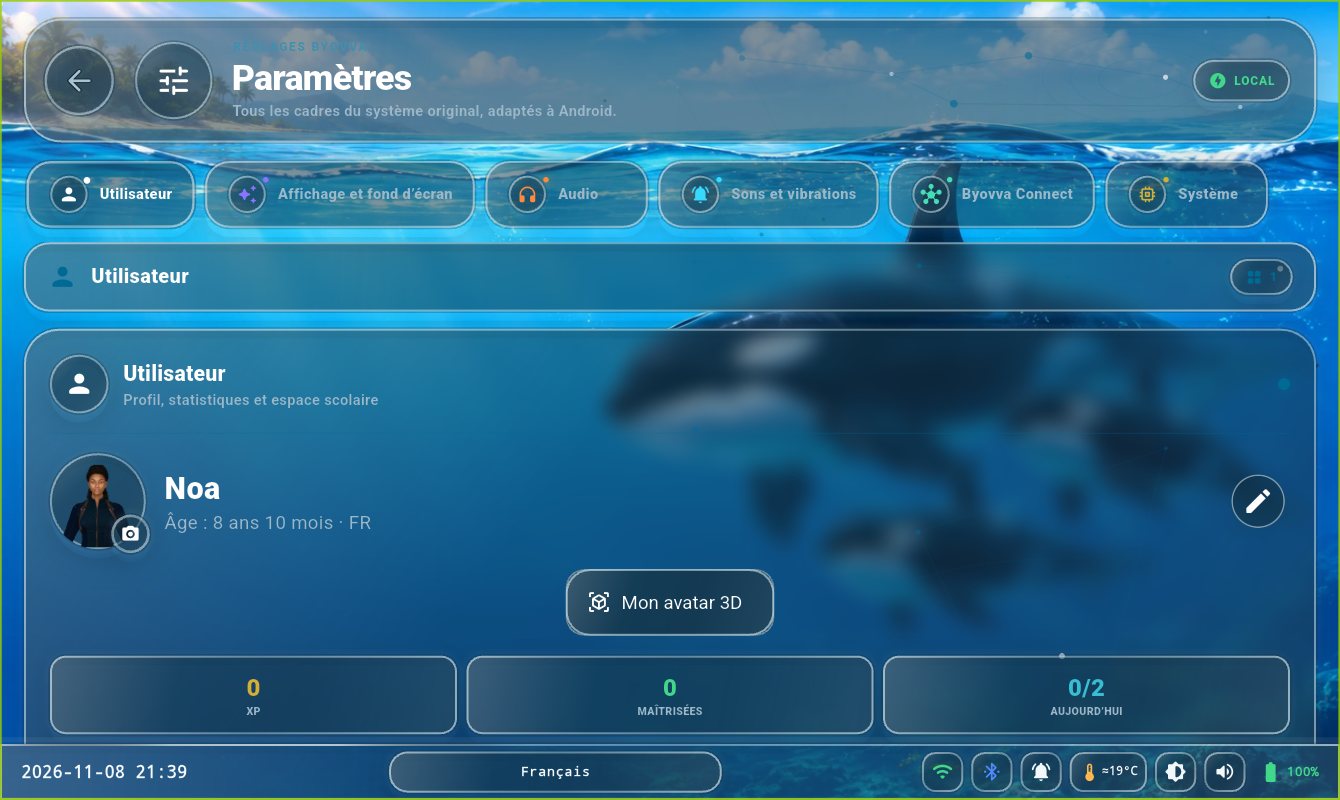
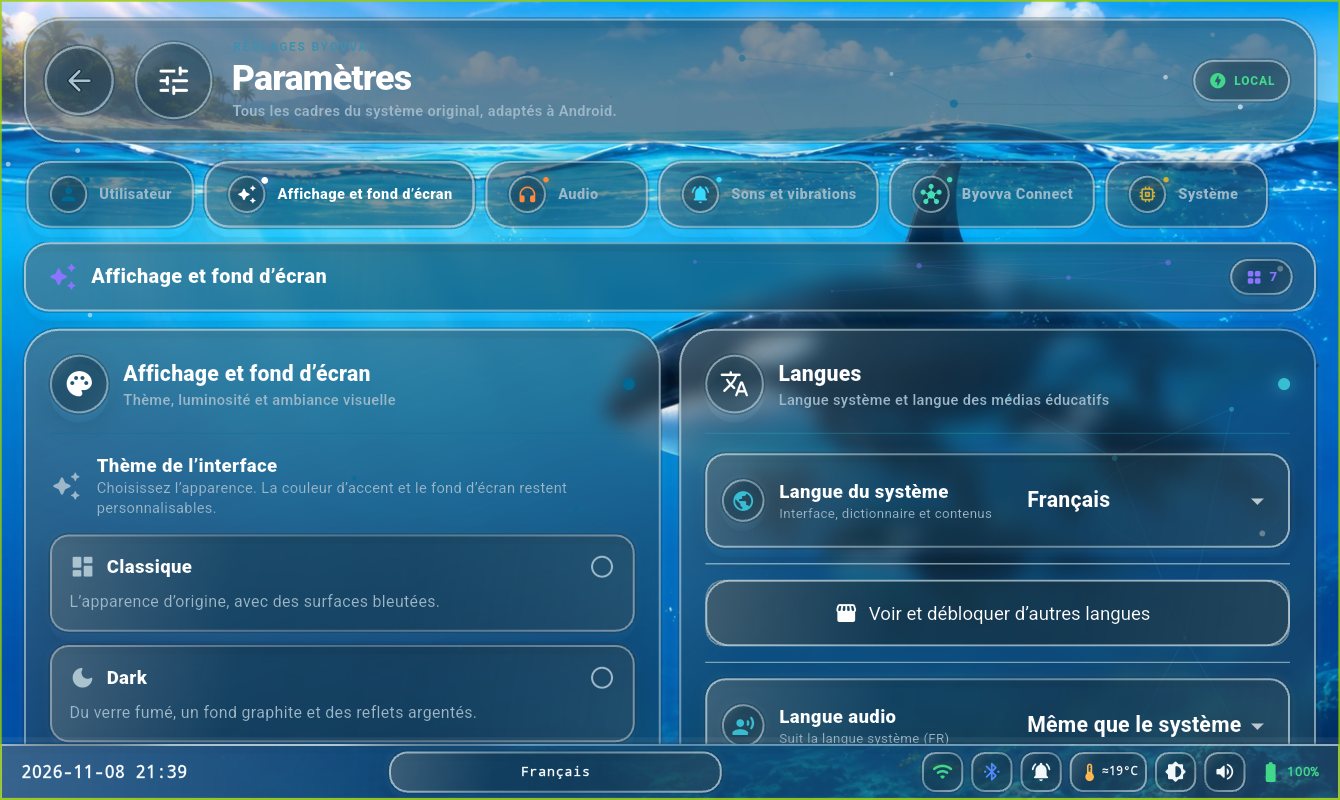
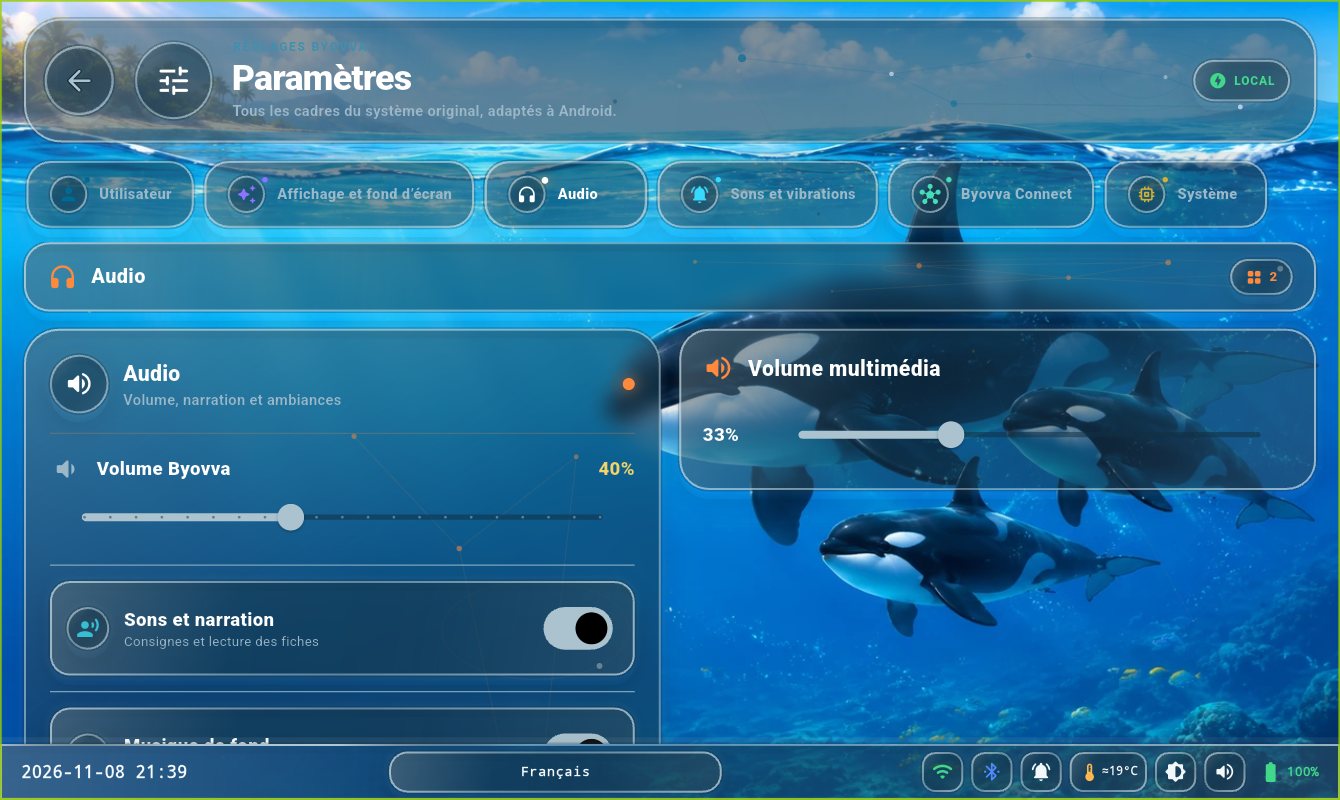
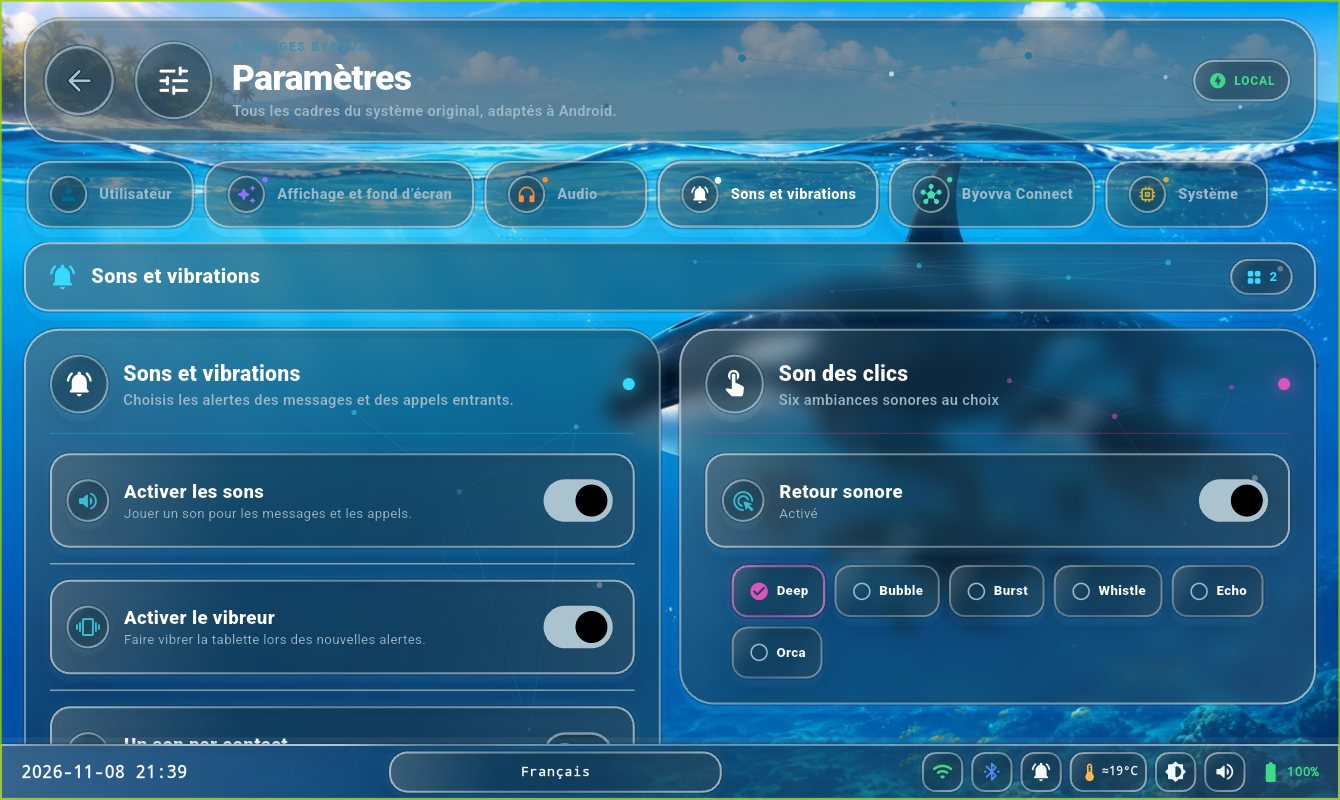
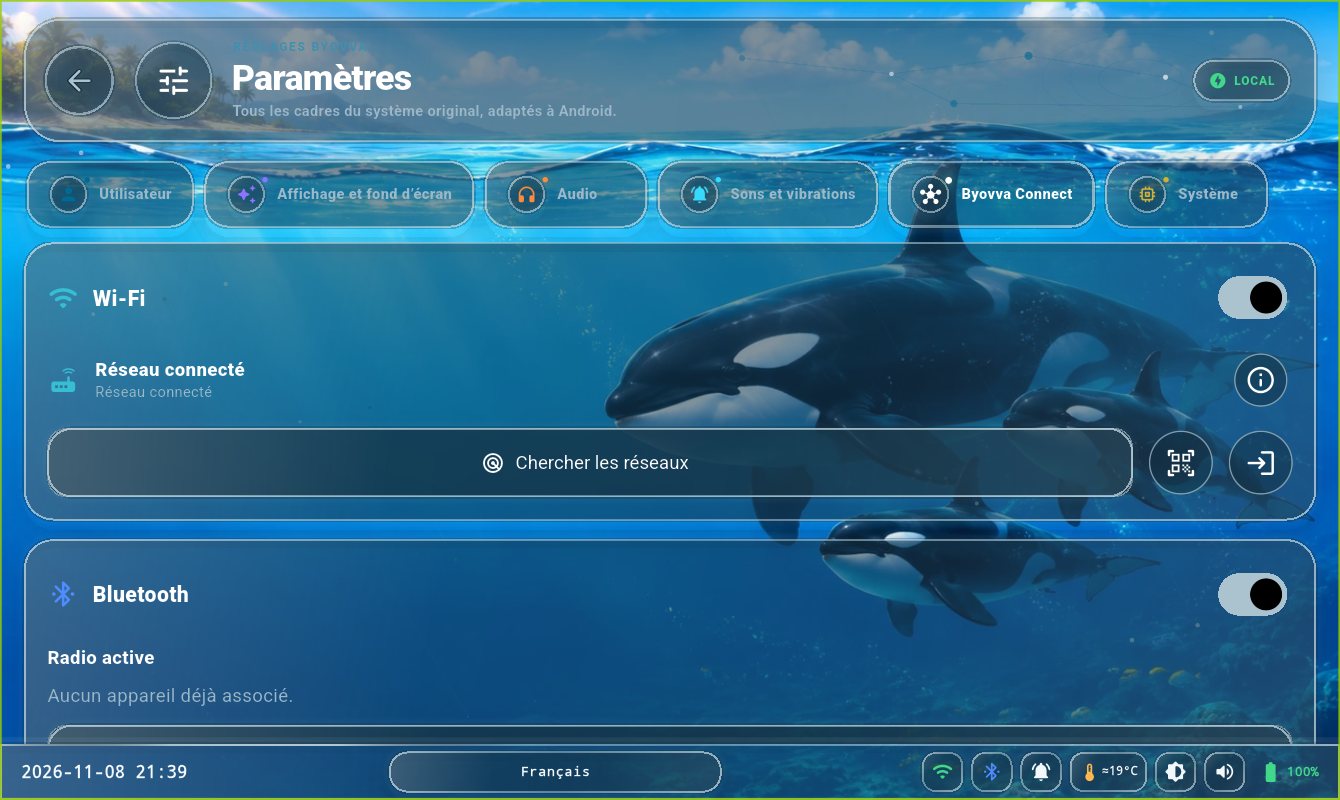
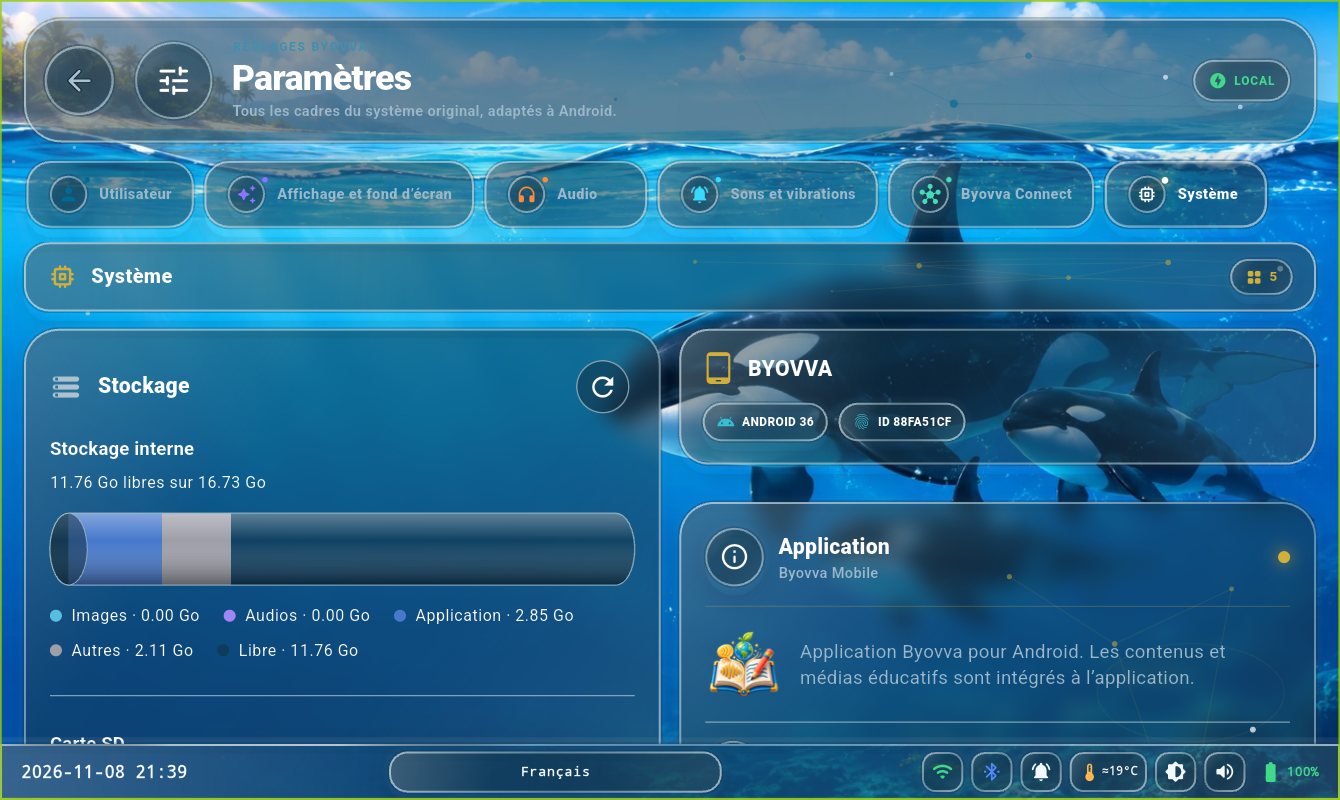
Real screenshots of the six tabs, Byovva 0.1.37, test profile.
Settings, including reset, open without the parent PIN in version 0.1.37: your child can access them. To be decided on the product side before publishing this page.
The parent PIN
Six digits known only to the parents. It protects everything that concerns your child's links with adults.
Creating it
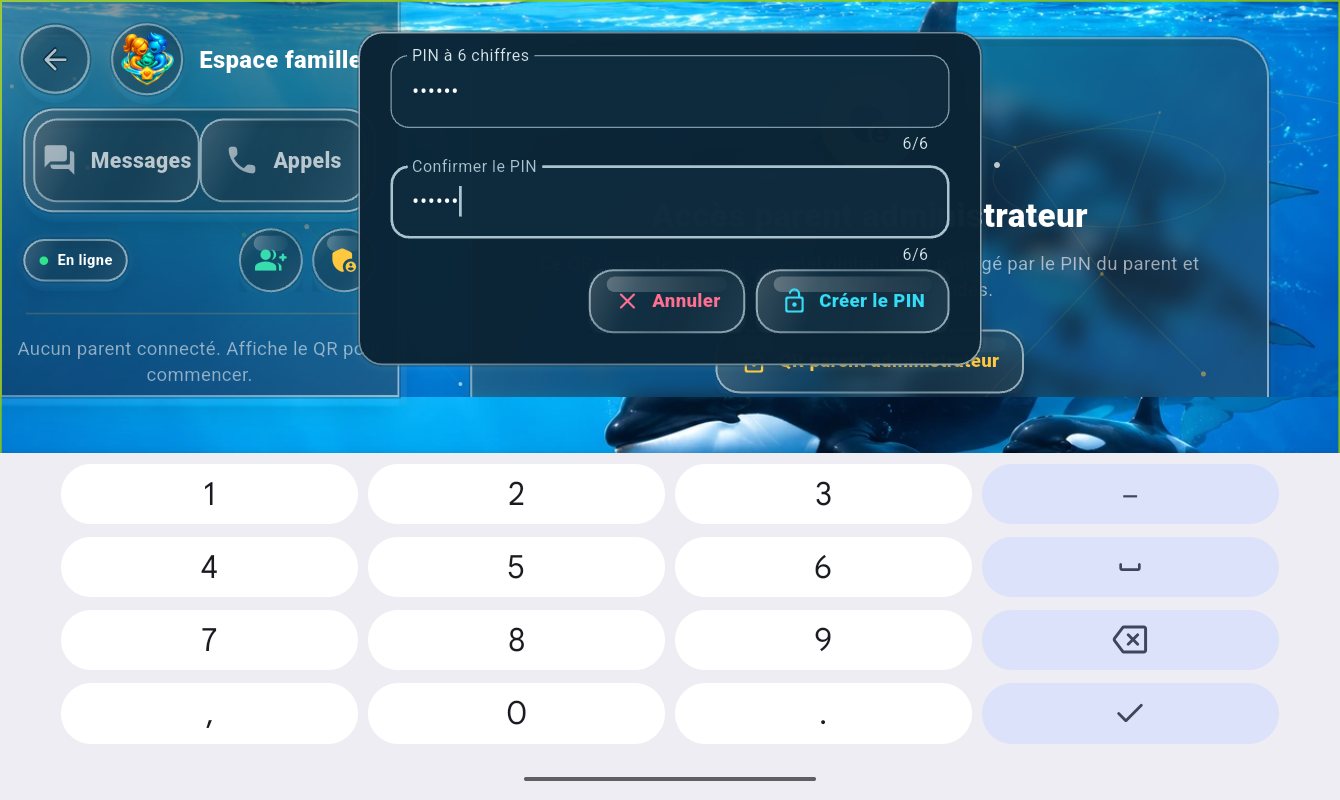
The PIN is created the first time a protected action asks for it, most often when linking Byovva Connect.
- The tablet shows Create the parent PIN.
- Type six digits in 6-digit PIN, then again in Confirm PIN.Sequences that are too simple, like 123456 or 000000, are refused.
- Touch Create PIN.
What it protects
- The parent QR code that links Byovva Connect, and the authorization of each parent phone.
- Supervision of exchanges between friends' tablets: activity only, or content shared with you.
- The voice assistant “Call Byovva”, to turn it on.
- The AI trust register in the Family space.
After several mistakes, access is locked for a few seconds, then up to an hour after ten mistakes: Too many attempts. Parent access is temporarily locked. Keep your PIN in a safe place.
no “forgotten PIN” procedure was found in the code. Only the “Factory” reset erases the PIN.
Connect to Wi-Fi
The activities don't need Internet. Wi-Fi is used for updates and for Byovva Connect.
With the password
- Open Settings, tab Byovva Connect, card Wi-Fi, and turn on Wi-Fi.
- Touch Search for networks, then your network in the list.The tablet may ask for a nearby devices permission: accept it.
- Type the Wi-Fi password and touch Connect. The network shows Network connected.
With a Wi-Fi QR code
Many Internet routers have a Wi-Fi QR code on their label.
- In the same Wi-Fi card, touch the Scan a Wi-Fi QR code.
- Place the QR code in the frame, then touch Connect. The password is never displayed.
A hotel or school network with a login page? Touch Sign in to the Wi-Fi portal.
Languages and country
In the Display and wallpaper, card Languages, then card Country of residence.
| Setting | Effect |
|---|---|
| System language | The interface language, among the unlocked languages. The two languages chosen at first start-up are included. |
| Audio language | The language of the voices and educational media. By default, the same as the system. |
| See and unlock other languages | Opens the Shop to add languages. |
| Call Byovva PIN | Turns on the offline voice assistant. See Talk to Byovva. |
| Country of residence | The national holidays and events announced by the tablet. Changes neither the time nor the languages. |
Display and sounds
| Setting | Where, and possible values |
|---|---|
| Interface theme | Display and wallpaper. Classic, Dark, Aqua (default) or Dark Deep. With Aqua, transparency is adjustable from 0 to 100%. |
| Wallpaper and accent color | Display and wallpaper. About a dozen backgrounds: ocean, twilight, cosmos… |
| Text size | Display and wallpaper. XS, M (default) or L. |
| Brightness | Display and wallpaper, or the brightness icon in the bottom bar. |
| Date and time | Display and wallpaper. Automatic by default, time zone adjustable. |
| Byovva volume | Audio. From 0 to 100%, 40% by default. Also with the volume buttons. |
| Sounds and narration, background music | Audio. Turns off Byovva's voice or the slideshow music. |
| Daily music welcome | Audio. The Byovva song once a day, at the first touch. Off by default. |
| Message and call sounds | Sounds and vibration. Keep them on to hear urgent messages. |
Sleep mode
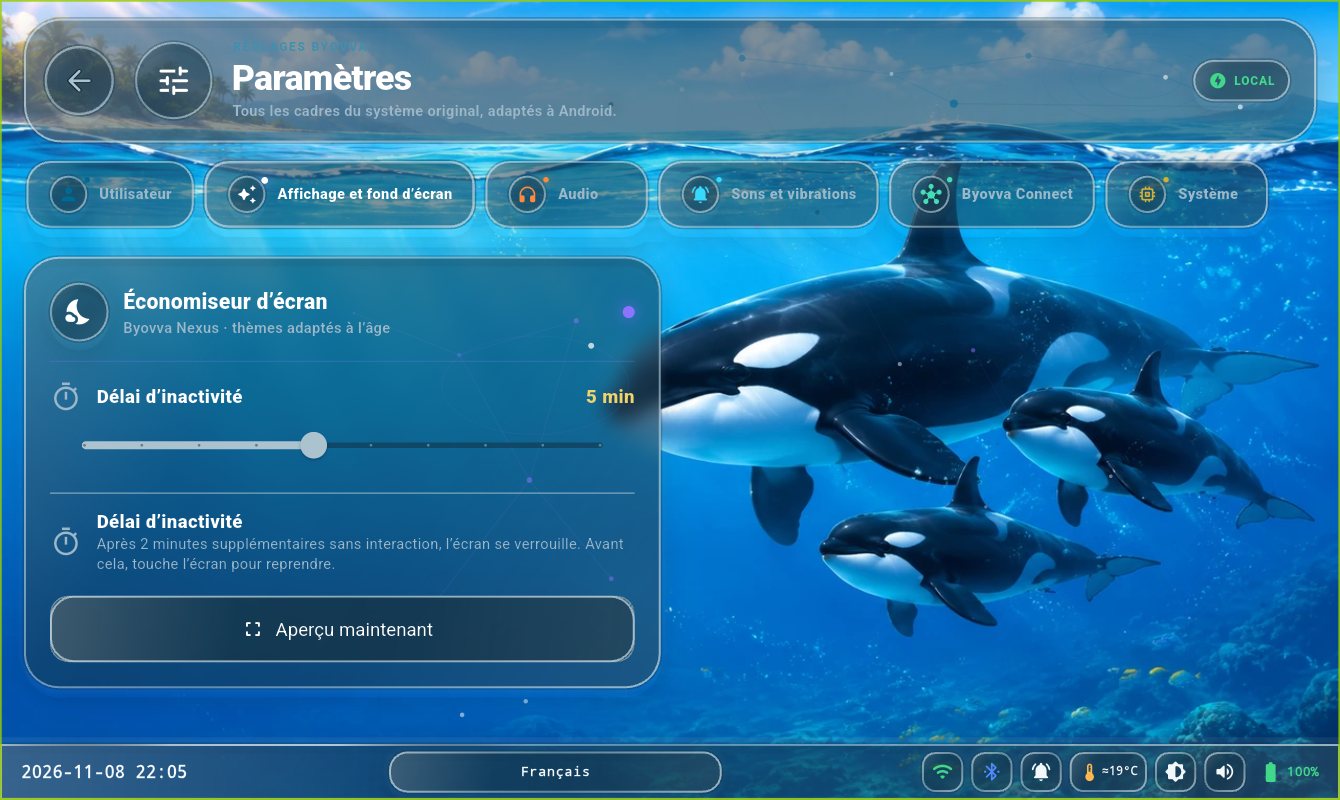
When the screen is not touched, the tablet shows an age-appropriate screensaver, then locks two minutes later.
- Open the Display and wallpaper, card Screensaver.
- Set the Inactivity delay from 1 to 10 minutes. 5 minutes by default.
- Touch Preview now to see it.
One touch closes the screensaver. During an activity, a video or an open card, the screen stays on.
| Age | Screensaver |
|---|---|
| Under 2 years | Jellyfish |
| 2 to 5 years | Reef picture book |
| 6 to 9 years | Pixel quest |
| 10 to 13 years | Auroras and train |
| 14 years and over | Word of the day |